21 September 2026 · 16 min read
Build a Run Club Website with Next.js and Supabase in 2 Nights
We built a run club's ticketing, payments and live leaderboard in 2 nights, using Next.js 16 and Supabase, for Verve Run Club. The whole project ran 19 days, from a September 3 demo to results on September 21. It ran a real event: 145 accounts in about three days, 56 paid registrations, and 44 runners timed from start to finish by a QR scanner on a phone. If you want to build a run club website with Next.js and Supabase, this is the honest version: every tool appears because something broke. See the result on the Verve runs page.
How do you go from a mock-data demo to a real backend in one day?
On September 3 and 4 Verve was a front-end demo: two commits, with every run and leaderboard row coming from a mock-data file. It looked finished and proved nothing. On September 16 we deleted that file and wired in Supabase in one commit (1,351 lines added, 721 removed, 27 files).
The obvious backend is an API that checks permissions in every route, so every route re-answers "can this user see this row" and one forgotten check is a leak. We wanted one place to answer it, the database, so we used Supabase: auth, Postgres and Row Level Security without running a server.
A profile row that creates itself
Sign-ups land in the auth schema, which the browser can't query, but the leaderboard needs a public name per member. A trigger creates the profile row, so no client code path can forget.
create table public.profiles (
  id uuid primary key references auth.users (id) on delete cascade,
  name text not null,
  created_at timestamptz not null default now()
);
alter table public.profiles enable row level security;

create policy "Profiles are publicly readable"
  on public.profiles for select using (true);
create policy "Users can update their own profile"
  on public.profiles for update using (auth.uid() = id);

create function public.handle_new_user()
returns trigger
language plpgsql
security definer set search_path = public
as $$
begin
  insert into public.profiles (id, name)
  values (
    new.id,
    coalesce(new.raw_user_meta_data ->> 'name', split_part(new.email, '@', 1))
  );
  return new;
end;
$$;

create trigger on_auth_user_created
  after insert on auth.users
  for each row execute function public.handle_new_user();
The function is security definer so it can always write to profiles, and it pins search_path so a hostile schema can't hijack it. Registrations follow the same idea: the insert policy says auth.uid() = user_id, so nobody can register someone else.
Keeping the session alive on the server
Server Components can read cookies but not write them, so an expired session would never refresh. Next.js 16 renamed middleware to proxy, and our proxy.ts calls a small @supabase/ssr helper on every request to refresh the cookie.
Degrading when the schema isn't there yet
Our own doing: we deployed code before the migration was applied, and every server-rendered page returned a 500 because the runs view didn't exist. The fix was to treat a missing table as empty and keep throwing on everything else.
// PGRST205 = not found in the schema cache, 42P01 = undefined table
function isMissingSchemaError(error: { code?: string } | null): boolean {
  return error?.code === "PGRST205" || error?.code === "42P01";
}

export async function getRuns(): Promise<Run[]> {
  const supabase = await createClient();
  const { data, error } = await supabase
    .from("runs_with_spots")
    .select("*")
    .order("date", { ascending: true });
  if (error) {
    if (isMissingSchemaError(error)) return [];
    throw error;
  }
  return ((data as RunRow[]) ?? []).map(mapRun);
}
This is a bandage: a real outage can now look like "no runs yet". Next time we would apply migrations in CI before every deploy and delete the guard.
How do you show spot counts without leaking other people's registrations?
With Supabase Row Level Security on, a visitor can read only their own registration, yet the runs page must show how many spots are taken, even to anonymous visitors. Two obvious answers failed.
- Make registrations public: it leaks who registered and who paid.
- Keep a counter on the run: it drifts the moment two people register at once or a row is edited by hand.
Our answer is a view that counts live rows and deliberately is not security_invoker. It runs with its owner's privileges, so it can count rows the caller can't read while exposing only the number. We wrote the reason into the migration so nobody "fixes" it.
-- Deliberately NOT security_invoker: it runs with the view owner's
-- privileges so anonymous visitors see accurate totals even though
-- registrations rows are only selectable by their own user (RLS).
-- The view only ever exposes an aggregate count, never another user's row.
create view public.runs_with_spots as
select
  r.*,
  coalesce(count(reg.id), 0)::int as spots_taken
from public.runs r
left join public.registrations reg on reg.run_id = r.id
group by r.id;

grant select on public.runs_with_spots to anon, authenticated;
We reused the pattern for the leaderboard and for a run_directory view (name, run and timing, never email or payment). The catch: it is a hole you dug on purpose, Supabase's security advisor may warn about it, and select r.* would publish any column added to runs later. We list columns explicitly in the directory and would do so here too.
Why did Google sign-in show our database URL?
The standard OAuth redirect bounced users through Google's account picker, which showed the raw Supabase project domain instead of our name. That is a trust problem when you are about to ask for money.
We switched to Google Identity Services. Google renders its button on our page and hands our callback a signed ID token, which we pass to Supabase. There is no cross-domain redirect, so the consent screen says Verve.
// Ties this sign-in attempt to a value only this page generated.
async function generateNonce(): Promise<[string, string]> {
  const nonce = crypto.randomUUID();
  const hash = await crypto.subtle.digest("SHA-256", new TextEncoder().encode(nonce));
  const hashedNonce = Array.from(new Uint8Array(hash))
    .map((b) => b.toString(16).padStart(2, "0"))
    .join("");
  return [nonce, hashedNonce];
}

// Google gets the hash; Supabase gets the raw nonce and re-hashes it to compare.
window.google.accounts.id.initialize({
  client_id: GOOGLE_CLIENT_ID,
  nonce: hashedNonce,
  use_fedcm_for_prompt: true,
  callback: async (response) => {
    const { error } = await supabase.auth.signInWithIdToken({
      provider: "google",
      token: response.credential,
      nonce: rawNonce,
    });
  },
});
The nonce stops a stolen token being replayed: Google embeds the hash in the signed token and Supabase checks it against the raw value only our page knew. One gotcha: avatars come from Google's servers, and next/image refuses unknown hosts, so we had to allow lh3.googleusercontent.com in next.config.
Why did paid users not get tickets?
The first Razorpay checkout
We used Razorpay Standard Checkout, which suits INR and UPI. A server route creates an order, the browser opens checkout, and on success posts three values to a verify route. The server recomputes an HMAC-SHA256 signature over the order id and payment id with the key secret, and only then creates the registration.
// create-order: the amount comes from the run row, never from the client,
// so a tampered request can't buy a ₹1 order for a ₹500 run.
const amountPaise = run.feeInr * 100;
const order = await getRazorpay().orders.create({
  amount: amountPaise,
  currency: "INR",
  receipt: `${runId}_${user.id}`.slice(0, 40),
  notes: { runId, userId: user.id },
});

// verify: this HMAC is the only proof the payment happened.
const expected = createHmac("sha256", process.env.RAZORPAY_KEY_SECRET!)
  .update(`${razorpay_order_id}|${razorpay_payment_id}`)
  .digest("hex");
if (!signaturesMatch(expected, razorpay_signature)) {
  return NextResponse.json({ error: "Invalid payment signature" }, { status: 400 });
}
The failure: the ticket needed the browser
The registration existed only if the customer's browser ran the success handler. On mobile, UPI sends people to another app, and the original tab may never return or may be killed. The money was captured at Razorpay and there was no ticket on our site.
The fix: a Razorpay webhook in Next.js
A Razorpay webhook Next.js route is the server-to-server backstop: Razorpay calls it when a payment is captured, whether or not the browser returns. Two rules keep it safe. The signature covers the exact raw bytes, so we read the body as text before parsing, and it uses a separate webhook secret compared with timingSafeEqual. With no user session, it needs a service-role client that bypasses RLS, so that key never leaves the server.
export async function POST(request: Request) {
  const rawBody = await request.text(); // raw bytes, before JSON.parse
  const signature = request.headers.get("x-razorpay-signature");
  if (!signature) return NextResponse.json({ error: "Missing signature" }, { status: 400 });

  const expected = createHmac("sha256", process.env.RAZORPAY_WEBHOOK_SECRET!)
    .update(rawBody)
    .digest("hex");
  if (!signaturesMatch(expected, signature)) {
    return NextResponse.json({ error: "Invalid signature" }, { status: 400 });
  }

  const event = JSON.parse(rawBody);
  // Ack every other event type so Razorpay doesn't retry it forever.
  if (event.event !== "payment.captured") return NextResponse.json({ ok: true });
  // ...fulfill using the runId and userId we stored in the order notes
}
Idempotency: two paths, one ticket
Now two paths can create the same ticket, and webhooks are retried, so it will happen. We need idempotency: doing the work twice must equal doing it once. Both paths call one function, and the unique (run_id, user_id) constraint makes the second insert fail with Postgres error 23505, which we treat as success. Emails go out only after a real insert.
const { data: registration, error } = await supabase
  .from("registrations")
  .insert({ run_id: runId, user_id: userId, paid: true,
            razorpay_order_id: razorpayOrderId,
            razorpay_payment_id: razorpayPaymentId /* ... */ })
  .select("id, run_id, bib_number, paid")
  .single();

if (error) {
  // Unique violation: this order was already fulfilled by the other path.
  if (error.code === "23505") {
    const { data: already } = await supabase
      .from("registrations").select("id, run_id, bib_number, paid")
      .eq("run_id", runId).eq("user_id", userId).maybeSingle();
    if (already) return { registration: already, alreadyExisted: true };
  }
  return { error: error.message, status: 500 };
}
// only now: send the ticket and the receipt
Reconciliation: fixing what was already missed
The webhook only helps from now on. About eighty minutes later we added an admin reconciliation tool: it pages through Razorpay's own payment history for 30 days, skips payments that already match a registration, and re-runs the same fulfillment function for the rest. Razorpay is the source of truth, not our database. Payments without our runId and userId notes are listed, not guessed at.
Differently: ship the webhook first and treat the browser callback as a speed-up, and write a pending registration before checkout so reconciliation is a join, not an API sweep. A known gap: the webhook path doesn't re-check capacity, so a late payer still gets a ticket.
Can two browser tabs send the same welcome email twice?
We send one welcome email per account with Resend transactional email. The client fires on every signed-in event, and a profiles flag, welcome_email_sent, records the send. The first version read the flag, sent if false, then wrote true: a check-then-act race. Two tabs both read false before either write lands, and both send.
We found it in review, not from a complaint. The fix makes the check and the write one statement: the UPDATE only touches a row that is still false. Postgres locks the row, so a concurrent update waits, re-evaluates, matches nothing and returns no row. Only the winner sends.
// Atomically claim the "send": only one concurrent request can win this.
const { data: claimed } = await supabase
  .from("profiles")
  .update({ welcome_email_sent: true })
  .eq("id", user.id)
  .eq("welcome_email_sent", false)
  .select("name")
  .maybeSingle();

if (!claimed) return NextResponse.json({ ok: true, skipped: true });

try {
  await sendEmail({ to: user.email, subject, html });
} catch (error) {
  // Already claimed: a transient failure means this account gets no welcome
  // email, which we accept in exchange for never sending it twice.
  console.error("Failed to send welcome email:", error);
}
We chose never twice over always once. All emails (welcome, ticket, receipt, race start, race finish) go through one sendEmail helper around Resend. The better design is an outbox table with status and retries, which gives both guarantees.
Why would our QR code ticket scanner in React not open the camera on phones?
Each registration has a UUID, and the ticket is a QR code of it, drawn with the qrcode package. At the event an admin scans it with a phone. A QR code ticket scanner in React looks solved: drop in html5-qrcode. It still took two fixes on real phones, seven minutes apart.
Bug one: nothing happened, and nothing said why
The all-in-one Html5QrcodeScanner UI failed silently: denied permission or plain HTTP left an empty box. Browsers expose the camera only in a secure context (HTTPS or localhost), so testing over a LAN IP fails too. We moved to the lower-level Html5Qrcode class, added an Open camera button, checked the environment ourselves, and turned each failure into a sentence a volunteer can act on.
async function startCamera() {
  if (!window.isSecureContext) {
    setCameraError("Camera access requires a secure (https) connection.");
    return;
  }
  if (!navigator.mediaDevices?.getUserMedia) {
    setCameraError("This browser doesn't support camera access.");
    return;
  }
  try {
    const { Html5Qrcode } = await import("html5-qrcode");
    html5QrCodeRef.current ??= new Html5Qrcode("qr-reader", { verbose: false });
    await html5QrCodeRef.current.start(
      { facingMode: "environment" },
      { fps: 10, qrbox: { width: 250, height: 250 }, aspectRatio: 1 },
      (text) => void handleDecoded(text),
      () => {} // per-frame decode miss is expected while aiming
    );
  } catch (err) {
    const message = err instanceof Error ? err.message : String(err);
    if (/NotAllowedError|Permission/i.test(message)) setCameraError("Camera permission was denied...");
    else if (/NotFoundError/i.test(message)) setCameraError("No camera was found.");
    else if (/NotReadableError/i.test(message)) setCameraError("The camera is in use by another app.");
  }
}
Bug two: permission granted, black screen
The camera started but the feed never showed. Our container was display: none until the state flipped to running, and html5-qrcode measures the container to size the video, so it started into a 0 by 0 box. Keep the container laid out with a minimum height and overlay the button instead.
<div className="relative min-h-[320px] overflow-hidden rounded-2xl">
  {/* Never display:none. html5-qrcode needs a real width and height. */}
  <div id="qr-reader" className="min-h-[320px]" />
  {cameraState !== "running" && (
    <div className="absolute inset-0 flex flex-col items-center justify-center bg-white">
      {/* Open camera button and error text live here, on top */}
    </div>
  )}
</div>
Feedback and lifecycle
A second scan means finish, so a camera lingering over a ticket would start a clock and stop it a moment later. On decode we pause the video, play a short beep and show a green Scanned overlay for two seconds. The beep is a Web Audio oscillator at 880 Hz in a try/catch, because browsers gate audio behind user interaction and sound is never worth failing a scan.
The lifecycle pitfalls bite on mobile. Call stop() then clear() on unmount or the camera stays on, guard state updates with a mounted ref, and use a busy ref because the decode callback fires many times a second. For tickets that won't scan, the admin can type a bib number, looked up within the run.
Why can't you trust a phone's clock to time a race?
Timing errors are visible to everyone, so every timestamp is written by the server when an admin's scan arrives. A phone's clock can be wrong or changed, and a runner's device should have no way to write a time. We enforced that in the database, not just the route.
-- Server-authoritative race timing: only an admin's scan can ever write
-- these. A runner's client has no update policy on registrations at all.
alter table public.registrations
  add column started_at timestamptz,
  add column finished_at timestamptz;

create policy "Admins can update registrations for race timing"
  on public.registrations for update
  using (public.is_admin());
An honest limit: a finish is recorded when the scan lands, so a queue at the line adds seconds for those at the back. Server time removes cheating and drift, not queues.
Splitting check-in from the start: the ready state
Our first flow was one scan to start and one to finish. But bibs are checked before the flag-off, so the first scan started every clock as people arrived. We split it into states: registered, checked in (ready), started, finished. A check-in scan only sets checked_in_at. One admin Start press writes a shared started_at for the run and every checked-in runner, and a late arrival scanned after the start gets their clock immediately.
if (!registration.checked_in_at) {
  // First scan. If the run has already started this is a late arrival, so
  // their clock starts now. Otherwise they are just "ready".
  const now = new Date().toISOString();
  const startedAt = runStartedAt ? now : null;
  await supabase
    .from("registrations")
    .update({ checked_in_at: now, ...(startedAt ? { started_at: startedAt } : {}) })
    .eq("id", registration.id);
  return NextResponse.json({ action: startedAt ? "started" : "checked-in" });
}

// Second scan: stop the clock. Round once, to whole seconds.
const elapsedSec = Math.max(
  0,
  Math.round((finishedAt.getTime() - new Date(registration.started_at).getTime()) / 1000)
);
Closing registration and payments
Once a run has started or its date has passed, nobody should register or pay. One function does the check, enforced in the create-order route and not just hidden in the UI. Timezone trap: the server runs in UTC, so a naive comparison keeps registration open until 5:30 AM IST the day after. We compute today for India explicitly.
// Registration and payment shut once the admin starts the run, or once its
// date (IST) is in the past, whichever comes first.
export function isRegistrationClosed(date: string, startedAt: string | null | undefined): boolean {
  if (startedAt) return true;
  const todayIst = new Date().toLocaleDateString("en-CA", { timeZone: "Asia/Kolkata" });
  return date < todayIst; // both are YYYY-MM-DD, so string compare works
}
Closing doesn't block the webhook: a payment made a minute before the start still becomes a ticket.
How do you rank a leaderboard fairly when distance, pace and ties all matter?
The leaderboard sums each member's verified distance. More distance ranks higher, equal distance is settled by faster average pace, and if both match they share a rank. Our first pass got three things wrong: pace averaging, inconsistent times across screens, and ambiguous time entry.
Average pace has to be weighted by distance
Take a 3 km run in 24:00 (8:00 per km) and a 10 km run in 90:00 (9:00 per km). The mean of the paces is 8:30, which is wrong because the long run should count more. Total time over total distance is right: (1,440 s + 5,400 s) / 13 km = 526.15 s per km, or 8:46. Round pace once, to whole seconds, before splitting into minutes and seconds, or you can print 5:60.
One module for all the math
Pace, formatting and ranking were computed separately in the admin screen, the email, the profile and the leaderboard. Truncating in one place and rounding in another let a finish differ by a second. We moved it all into one stats module and made the database agree: migration 0030 exposes total_seconds from the same rows as total_km, and rounds elapsed time instead of truncating it.
Time entry was ambiguous: is 27.28 twenty-seven minutes twenty-eight seconds, or decimal minutes? The parser now accepts only mm:ss or h:mm:ss and rejects a bare number.
// "27:28" (mm:ss) or "1:02:03" (h:mm:ss). A bare number is ambiguous, so reject it.
export function parseDuration(input: string): number | null {
  const str = input.trim().toLowerCase();
  const colon = str.match(/^(?:(\d+):)?(\d{1,3}):(\d{1,2}(?:\.\d+)?)$/);
  if (!colon) return null;
  const h = Number(colon[1] ?? 0), m = Number(colon[2]), s = Number(colon[3]);
  if (s >= 60 || (colon[1] !== undefined && m >= 60)) return null;
  return Math.round(h * 3600 + m * 60 + s);
}
Tie-aware ranking, with a worked example
Sorting can't express a tie, so ranks are assigned after sorting with competition ranking (1, 2, 2, 4): tied entries share a rank and the next is skipped. Four runners:
| Runner | Total distance | Total time | Avg pace | Rank |
|---|---|---|---|---|
| D | 6.00 km | 50:00 | 8:20 | 1 |
| A | 3.00 km | 24:00 | 8:00 | 2 |
| B | 3.00 km | 24:00 | 8:00 | 2 |
| C | 3.00 km | 25:30 | 8:30 | 4 |
D ran the most, so D is first whatever the pace. A, B and C tie on distance, so pace decides: A and B are level at 8:00 and share second, and C is fourth because rank three is skipped. Distances compare at 0.01 km and paces at 0.01 s per km so float noise can't break a tie, and a name tie-break only orders the display, never the rank.
const kmKey = (km: number) => Math.round(km * 100);          // 0.01 km
const paceKey = (p: number | null) =>
  p === null ? Infinity : Math.round(p * 100) / 100;         // 0.01 s/km

export function compareOverall(a: Entry, b: Entry): number {
  const km = kmKey(b.totalKm) - kmKey(a.totalKm);            // more distance first
  if (km !== 0) return km;
  const pa = paceKey(a.paceSecPerKm), pb = paceKey(b.paceSecPerKm);
  return pa === pb ? 0 : pa < pb ? -1 : 1;                   // then faster pace
}

export function rankEntries<T>(items: T[], compare: (a: T, b: T) => number) {
  const sorted = [...items].sort(compare);
  const out: { item: T; rank: number }[] = [];
  sorted.forEach((item, i) => {
    const prev = out[i - 1];
    out.push({ item, rank: prev && compare(prev.item, item) === 0 ? prev.rank : i + 1 });
  });
  return out;
}
We rank in TypeScript because one order feeds the overall board, the per-run boards and each profile position. A SQL rank() window would give the same result; what matters is one implementation. See the boards on each run page and in the community area.
How do you make a link preview worth clicking?
A run club spreads through chat apps, so the card that appears when someone pastes a link is the real landing page. We added a dynamic Open Graph image with next/og, then gave every run its own title and description through generateMetadata.
Keep the image at 1200 by 630 and small, because crawlers fetch it with tight timeouts (ours is about 155 KB). The site-wide image loads a font and the logo at render time, and a run can ship its own poster file next to its page. We would bundle the font instead of fetching it from Google at render time.
How do you add motion without hurting speed or accessibility?
Framer Motion handles what needs it, plain CSS the rest. The hero headline reveals word by word: each word rises out of a clipped box with a staggered delay. The scroll progress bar in the top nav is a scaleX transform driven by useScroll and a spring, so it never triggers layout.
Page transitions aren't Framer Motion. Next.js re-mounts template.tsx on every navigation, so a div with a 0.45 s CSS animation (opacity plus a 10 px rise) is enough, and it leaves no lingering transform that would break fixed-position modals.
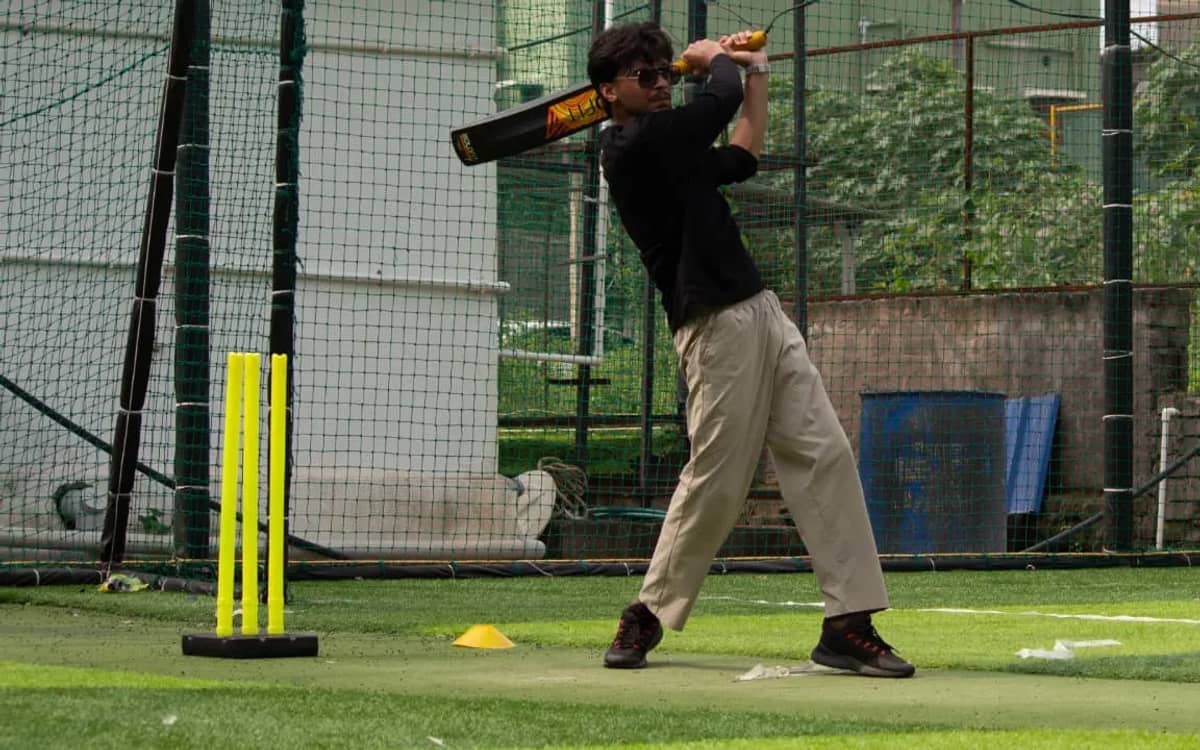
The gallery has a draggable pitch board and a scroll-driven film reel that maps scroll progress in a tall section to horizontal movement of a sticky strip. The tricky part is tap versus drag: a press under 8 px and 450 ms opens the photo, anything else is a drag. Without that rule every drag ended in an accidental lightbox.
Tradeoffs: one MotionConfig with reducedMotion set to user honours the OS setting for every Framer animation, and a CSS media query disables the page and tab animations. The 15 album photos are WebP, about 3 MB in total, and the board shows 9. We haven't done a keyboard-only audit of the drag board, and would before calling it accessible.
What happened on race day, and what would we change?

The numbers below are production aggregates only, with no names or emails. The club behind them is described on the About page.
- 145 accounts created in about three days, 9 of them on race day itself, so sign-in had to work on a phone at the venue.
- 56 paid registrations, which is about 39% of the accounts.
- 48 people checked in (86% of paid), 44 started and 44 finished. Everyone who started, finished.
- The fastest 3 km was 14.3 minutes, which is 4:46 per km. The average was 24.6 minutes, which is 8:12 per km.
What we would change: we built an attendance streak and a Strava-style progress upload before we had one race result, and race day ended up writing into that same strava_activities table anyway. Bibs are random four-digit numbers with no uniqueness rule, so among 56 runners the odds that two share one are about 1 in 6 (a birthday problem we worked out afterwards); a per-run sequence fixes it. And we redeployed with four commits named Trigger deployment in 16 minutes.
The rest stayed out of the way: Tailwind CSS 4 for the brick and cream theme, lucide-react for icons, date-fns for the weekly streak, and Vercel for deployment. Every fix in one place:
| Approach | What went wrong | What we did |
|---|---|---|
| Mock data in the front end | Looked finished, proved nothing about permissions | Supabase with RLS, a profile trigger, and a proxy.ts session refresh |
| Public registrations to show spot counts | Leaks who registered and who paid | A view that returns only an aggregate count, deliberately not security_invoker |
| OAuth redirect for Google | Consent screen showed the database domain | Identity Services ID token plus a nonce, then signInWithIdToken |
| Create the ticket in the browser after checkout | UPI app switches and closed tabs meant paid, no ticket | Signed webhook, one idempotent function, and a reconciliation tool |
| Read the email flag, send, then write it | Two tabs could both read false and both send | One atomic UPDATE where the flag is still false |
| One scan to start and one to finish | Clocks started as runners arrived, before the race | A ready state and a single admin Start with server timestamps |
| Average of per-run paces | 8:30 instead of the true 8:46, and 5:60 on screen | Total time over total km, one stats module, ties share a rank |
Five takeaways for your own event ticketing system:
- Enforce access in the database, where RLS and a few reviewed views are easier to audit than scattered route checks.
- Make the webhook the truth and the browser a convenience, and build reconciliation before you need it.
- Assume every callback and tab fires twice, and put the guarantee in a constraint or one atomic statement, not an if.
- Model the event as states: forcing four into two scans caused our worst timing bug.
- Write ranking math once, weight by distance, round at display time, and test a tie.
Frequently asked questions
Can you build a run club website with Next.js and Supabase without a separate backend?
Yes. Next.js route handlers cover payments, email and the scanner API, and Supabase provides auth, Postgres and Row Level Security. The only place we needed a privileged service-role key was the Razorpay webhook, because it has no signed-in user. We built the core of the site this way in 2 nights, and finished it over 19 days.
Why do you need a Razorpay webhook if checkout already returns a success callback?
The callback runs in the customer's browser, which can be closed, backgrounded or left behind when a UPI app opens. A webhook is sent by Razorpay's servers, so a captured payment still becomes a ticket. Verify its signature over the raw body, and make the handler idempotent because webhooks are retried.
How does Supabase Row Level Security keep registrations private and still show spot counts?
Registrations are readable only by their owner. Spot counts come from a view that runs with its owner's privileges and returns only an aggregate number, never a row. Because it is deliberately not security_invoker, anonymous visitors see accurate totals without seeing anyone else's data.
How do you build a QR code ticket scanner in React?
Draw the ticket with the qrcode package, then scan it with html5-qrcode's Html5Qrcode class. Start it from a button, check for a secure context, keep the reader element laid out at a real size, pause after each decode, and call stop and clear on unmount. Then send the decoded id to a server route.
How do you send a Resend transactional email only once per user?
Do not read a flag and then write it. Run one UPDATE that sets the flag only where it is still false and returns the row. Only the request that gets a row back sends the email, so two tabs or retries cannot both send.