4 September 2026 · 5 min read
You Don't Need Vercel Pro. You Need a Fork (or a Merge Button).

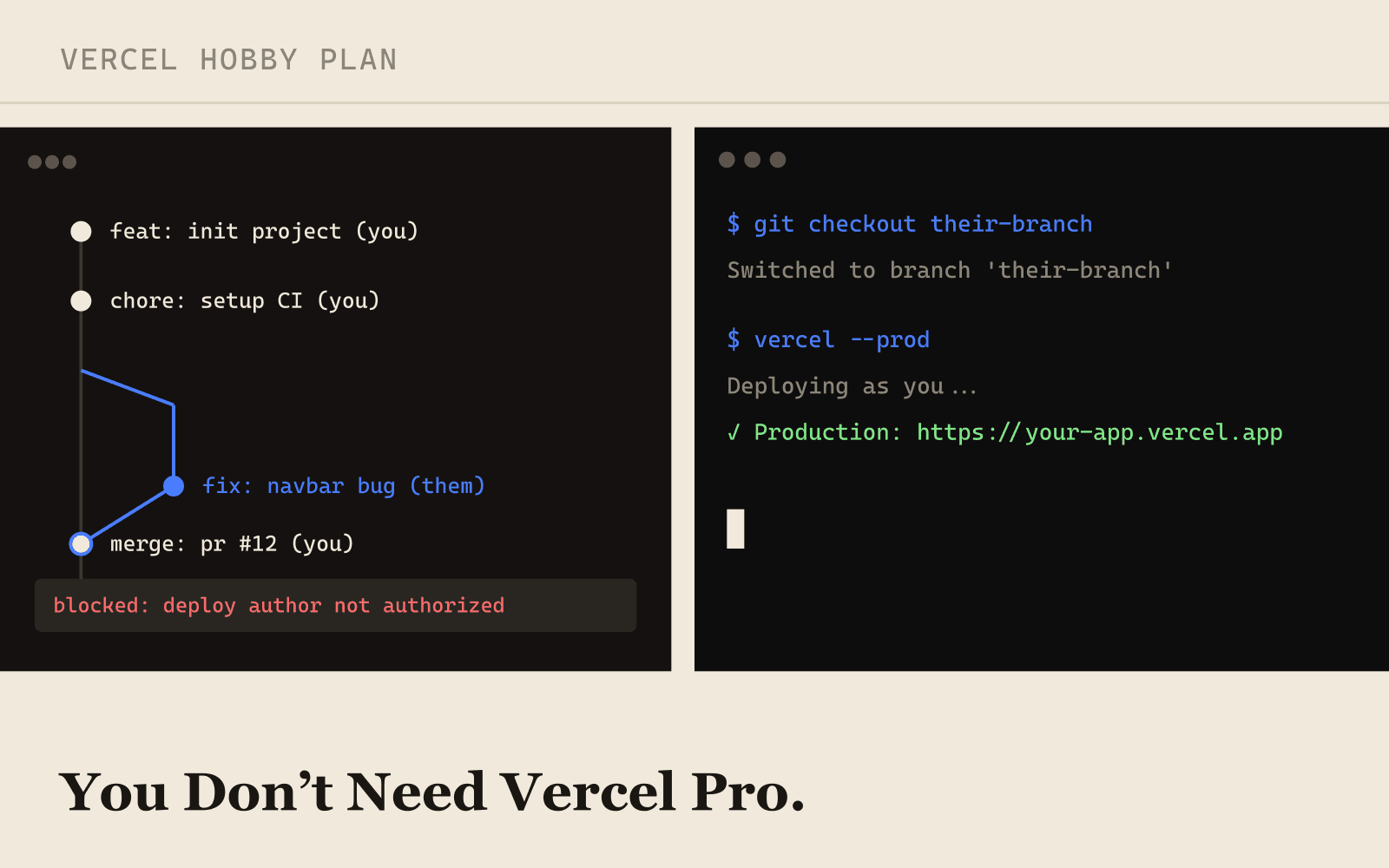
A teammate pushes a commit, and Vercel throws up a modal: this deployment is blocked, invite them to a team to continue, which on the Hobby plan means one thing, buy Pro. If you're two people splitting a side project or a freelancer helping out for a week, upgrading just to let one more person push code feels like the wrong trade. It isn't the only option.
Why Vercel Blocks It in the First Place
Hobby is built around a single personal account, not a team. Vercel isn't checking whether your GitHub repo is shared, GitHub collaboration is free and unrelated, it's checking who is credited as triggering the deployment. The moment a commit lands from an author who isn't the project owner, Hobby treats that as a team-collaboration event and blocks it until you upgrade. That distinction, GitHub access versus deployment trigger, is the whole reason the workarounds below work at all.
Option 1: Fork It
The cleanest jugaad. The other person forks your GitHub repo to their own account and imports the fork as a new project on their own free Vercel account. They get their own *.vercel.app URL, push whenever they want, and never touch your project's deploy permissions because they're not in your project at all. When their work is ready, they open a pull request back to your repo, and you merge and deploy it yourself. This is the right call when they need to iterate fast and independently, think a freelancer building a feature over a few days, rather than committing directly to your main branch.
Option 2: They Push, You Deploy
If you'd rather keep everything in one repo, add them as a GitHub collaborator, that costs nothing and has no bearing on Vercel. Let them push to a feature branch or open a pull request, but merge it yourself. A squash-and-merge on GitHub makes you the author of the resulting commit on main, and since Vercel's block is keyed to commit authorship, a merge commit authored by you deploys normally even though it carries someone else's changes. You end up as a gatekeeper who reviews and lands everything, which for a two-person project is usually fine anyway.
Option 3: Preview Deployments, Then You Promote
Have them open a pull request instead of pushing straight to main. Vercel's preview deployments for PRs are worth testing against the same author check, in practice a preview build is where you'd catch whether their change even works before it touches production. If it builds cleanly, you promote that exact deployment to production yourself from the dashboard, or trigger a fresh deploy of that commit. Either way, the click that ships to production is yours.
Option 4: Deploy From the CLI Yourself
The most direct option, and the one that sidesteps the git integration entirely. They send you their branch, you pull it locally, and you run the Vercel CLI logged in as yourself:
git fetch origin their-branch
git checkout their-branch
vercel --prod
Because this deploy never goes through a webhook carrying their commit metadata, there's no author to check. Vercel just sees you, authenticated, running a command. It's manual and doesn't scale past a couple of contributors, but for the occasional outside patch it's the fastest path to production.
Which One Should You Actually Use
| Option | Setup effort | Best for | Keeps one repo? |
|---|---|---|---|
| Fork | Low | Independent, fast-moving contributors | No, separate repos |
| They push, you merge | Low | A steady collaborator you trust to review | Yes |
| PR preview, you promote | Medium | Wanting to test before it's live | Yes |
| CLI deploy | Low | A one-off patch from someone external | Yes |
For anything ongoing, fork if they need to move at their own pace, use the merge-yourself pattern if you want one canonical repo and are fine being the person who lands every change. The CLI deploy is best saved for a single external contribution rather than a standing workflow, someone has to remember to run it every time.
The block was never about who can touch your code, GitHub collaboration is already free. It's specifically about who gets credited as triggering a Vercel deployment. Work around that one distinction and every one of these options falls out naturally.
When Pro Actually Earns Its Price
None of this is an argument against ever upgrading. Once you have more than one or two regular contributors, need environment-level access control, or want deployment protection and rollback tools instead of gatekeeping every merge by hand, Pro stops being a nice-to-have and starts saving real time. The jugaads above are for keeping a small, occasional collaboration free, not for running an actual team long-term on a workaround.
Frequently Asked Questions
Does merging someone else's PR to bypass the block violate Vercel's terms?
No. You're not spoofing an identity or working around a security control, you're doing exactly what Git and GitHub are designed for: reviewing and merging a contribution under your own account before it deploys. Vercel's Hobby restriction is a plan limit on team collaboration, not a security boundary, and every option here keeps you as the actual, authenticated person triggering the deploy.
Will a forked project's *.vercel.app URL work for real testing?
Yes, it's a fully functional deployment on their own free Hobby account, same build output, same runtime. The only thing it doesn't share with your project is your custom domain and environment variables, so it's a solid place to verify a feature works before it comes back to you as a pull request.
Pick based on how often this happens. A one-time favor from a friend, use the CLI. A recurring collaborator, add them to GitHub and merge their work yourself. Someone who needs to move independently, send them to fork it. None of it costs anything beyond a little extra process, which is usually a fair trade for not paying for seats you don't need yet.